
Deep Linking in Mobile Apps
Deep linking is transforming how users interact with mobile apps. It directs users to specific content within an app, enhancing their experience.
This technique is crucial for app developers and marketers aiming to boost engagement. By using deep links, users can bypass the app's homepage and go straight to the desired content.
Deep linking is not just about navigation; it's a powerful tool for marketing and SEO. It helps in retaining users and increasing app visibility.
Understanding deep linking is essential for anyone involved in mobile app development. This guide will explore its types, benefits, and best practices.
Let's dive into the world of deep linking and discover its potential.
What is Deep Linking? Definition and Importance
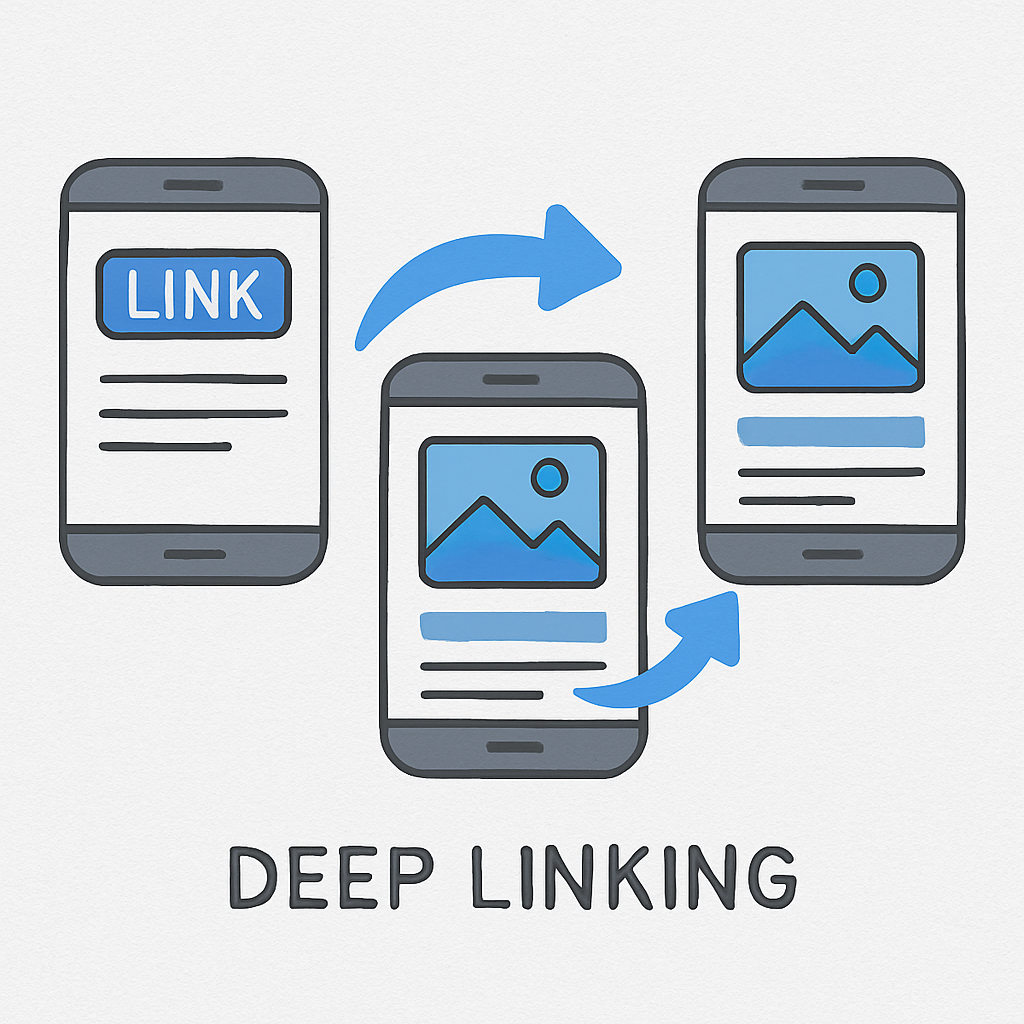
Deep linking allows users to navigate directly to specific content in a mobile app. This process eliminates unnecessary steps and enhances the user experience.
Key Characteristics of Deep Linking:
- Direct Navigation: Leads users straight to desired content.
- Improved Engagement: Keeps users engaged by reducing friction.
- Enhanced User Experience: Creates seamless transitions within the app.
Its importance lies in the increased conversion rates and user retention. By ensuring quick access to relevant content, apps remain competitive and user-friendly.
Developers and marketers can utilize deep linking to craft more personalized experiences. This strategy supports creating more responsive and targeted campaigns. Implementing deep linking boosts app performance and user satisfaction.
Types of Deep Linking: Standard, Deferred, and Contextual
Standard Deep Linking
Standard deep linking involves direct linking to content within an app. It requires the app to be installed on the user's device. When implemented well, it ensures users access the desired content instantly.
Deferred Deep Linking
Deferred deep linking shines when the app is not installed. It first directs users to download the app. After installation, users are taken directly to the intended content. This approach is invaluable for smooth onboarding and increasing downloads.
Contextual Deep Linking
Contextual deep linking adds an extra layer by preserving data across installations. It offers personalized experiences based on user behavior or previous interactions. This method enables tailored content delivery, enhancing user satisfaction.
Types Overview
- Standard: Direct content access
- Deferred: Installs app, then accesses content
- Contextual: Personalized navigation
Understanding these types helps develop a comprehensive deep linking strategy. Each type serves specific user needs and app goals effectively.
How Deep Linking Works in Mobile Apps
Deep linking in mobile apps functions through link-based pathways. These links direct users to specific app content seamlessly. They create a bridge between external sources and in-app experiences.
When a user clicks a deep link, the app validates the link's data. If the app is installed, it accesses and displays the content directly. This process enhances navigation and keeps user journeys fluid.
Deep links can integrate various actions like:
- Opening specific screens
- Passing data between apps
- Redirecting based on user status
These capabilities make deep linking a powerful tool for efficient content delivery. It fosters engagement by offering a frictionless user experience.
Benefits of Mobile Deep Linking for User Engagement
Mobile deep linking significantly boosts user engagement. It provides direct access to content, reducing search and navigation time. This seamless experience keeps users engaged and active within the app.
By offering personalized experiences, deep linking enhances user satisfaction. Users appreciate relevant content and tailored interactions, increasing loyalty and retention rates.
Here's how mobile deep linking benefits user engagement:
- Simplifies user journeys
- Boosts content discoverability
- Increases user interaction rates
Thus, deep linking serves as a vital element in crafting engaging, user-friendly mobile experiences. This leads to improved app performance and a happier user base.
Deep Linking Examples: Telegram and Other Popular Apps
Telegram utilizes deep linking effectively by directing users to specific chats, channels, or messages. This feature enhances user interaction by simplifying navigation to desired content. It's a powerful tool for engaging and maintaining active users.
Other apps also harness deep linking effectively. For instance, Instagram links directly to posts or profiles, improving user accessibility. Similarly, e-commerce apps link users to product pages, boosting conversions and sales.
Here are key examples of deep linking in popular apps:
- Direct links in Telegram to chats or channels
- Post-specific links in Instagram
- Product page links in retail apps
Through these examples, we see how deep linking boosts app engagement and user convenience, creating cohesive digital experiences.
Deep Linking Implementation: Tools and Frameworks
Implementing deep linking in mobile apps requires robust tools and frameworks. Various platforms offer seamless integration of deep linking features. These tools simplify the development process and enhance functionality.
Key tools include deep linking providers like Branch and ChottuLink. These platforms offer comprehensive services for app developers. They enable efficient creation and management of deep links across various platforms.
Here are some popular deep linking tools and frameworks:
- Branch
- ChottuLink
- AppsFlyer
- Adjust
Choosing the right tool ensures smooth integration. It also enhances user engagement and tracking capabilities within your app.
React Native Deep Linking
React Native supports deep linking via its built-in libraries. This functionality allows easy navigation to specific screens within an app. Developers can enable deep linking through simple URL schemes or universal links.
React Navigation, a common library in React Native, streamlines this process. By defining deep links within configuration files, seamless user experiences are created.
Angular Deep Linking
Angular apps benefit from deep linking using its robust router. This feature ensures user-friendly navigation paths within single-page applications. Developers configure routes to reflect deep links in their apps.
With Angular's router, deep linking offers improved SEO capabilities. This enhances app visibility in search engines, increasing potential user engagement.
Deep Linking Best Practices and Strategy
To maximize the effectiveness of deep linking, follow best practices for implementation. A well-planned strategy is crucial for successful results. This ensures enhanced user engagement and app performance.
Firstly, ensure links are both user-friendly and search-engine optimized. This approach improves discoverability and access to app content. Aim for clear, descriptive URLs that represent the content accurately.
Additionally, test all deep links thoroughly before deployment. This helps identify and fix potential issues promptly. Regular testing maintains link reliability over time.
Key practices to keep in mind include:
- Use descriptive URLs
- Regular link testing
- Optimize for SEO
Developing an effective deep linking strategy is vital. It enhances user experience, ensuring seamless navigation within your app.
Deep Linking for Marketing and SEO
Deep linking is a powerful tool for marketing. It directs users to specific app content, increasing conversion rates. It also elevates user engagement by providing direct access to relevant pages.
In addition, deep linking plays a crucial role in SEO. It improves app indexing and discoverability. This results in better search engine ranking and visibility, attracting more potential users.
Enhance your marketing and SEO efforts through:
- Directing users to relevant pages
- Improving app discoverability
- Leveraging user engagement for SEO benefits
Utilizing deep linking strategically can greatly boost marketing outcomes and SEO performance.
Challenges, Pitfalls, and Solutions in Deep Linking
Implementing deep linking can be tricky. There are challenges such as inconsistent user experiences across devices and compatibility issues. These obstacles can affect link performance and user satisfaction.
To overcome these challenges, consider:
- Testing links across devices
- Ensuring compatibility with various operating systems
- Continuously monitoring link performance for improvements
Addressing these challenges proactively will enhance the reliability and effectiveness of your deep linking strategy.
Conclusion and Next Steps
Deep linking offers numerous benefits for mobile apps. By increasing engagement and improving user experience, it drives app success.
To move forward, start by analyzing your app's needs. Implement a well-planned deep linking strategy and measure its impact regularly.