
OG Image Size: The Dimensions That Actually Render
Every guide says 1200×630. The published ceilings run from 600 KB to 8 MB, so the tightest one is what your export has to clear.
Your launch page goes out this afternoon and one image has to cover it. The designer asks what size to export, and the answer depends less on what looks good than on what each platform does with the file.
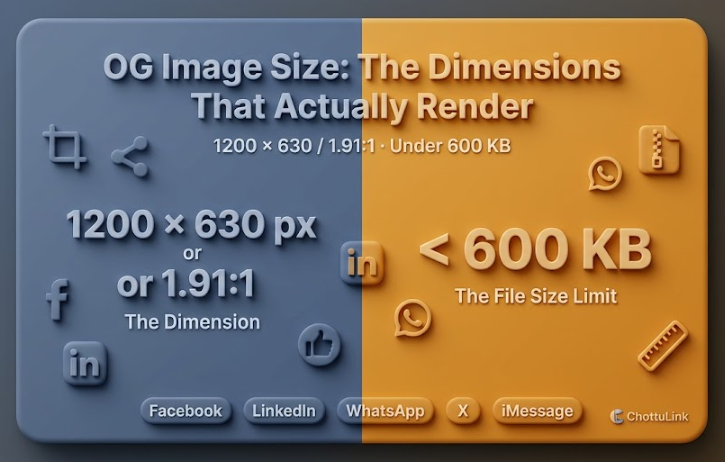
Export 1200 × 630 at 1.91:1, and get it under 600 KB if WhatsApp is one of the places you share. No platform requires that exact size, but several set a floor, and the published ceilings run from 600 KB to 8 MB. Designing to the tightest one gives you a single file that works everywhere the launch will land.
Here is what each platform publishes, and what real sites do instead.
OG image size by platform
Four platforms publish image requirements for link previews, and Apple publishes guidance for Messages. All limits below were read in October 2026.
| Platform | Minimum | Cap | Ratio |
|---|---|---|---|
| 200 × 200 | 8 MB | 1.91:1 | |
| 1200 × 627 | 5 MB | 1.91:1 | |
| 300 px wide | should be under 600 KB | no flatter than 4:1 | |
| X summary card (archived) | 144 × 144 | under 5 MB | 1:1 |
| iMessage | 900 px wide (advised) | 1 MB, page only | none given |
Only Meta names a recommended size, at 1200 × 630 for high-resolution displays. The other four publish floors and ceilings and leave the rest to you. LinkedIn's page carries no update date, so treat its numbers as stable.
Three of the five phrase their cap as a limit. Meta says a file "must not exceed 8 MB", LinkedIn "Max file size: 5 MB", and X "must be less than 5MB". WhatsApp says the image "should be under 600KB" and warns that missing its requirements "may risk the link to be not previewed".
Meta's floor is 200 × 200, and it separately names 600 × 315 as the minimum for the larger link-post layout. Below that it still shows a preview, just a smaller one, so 600 × 315 is the number that matters in practice.
X is the one platform whose current documentation has no card image sizes. The row above covers the summary card, which crops to a square. X also has a large-image card for sites that set twitter:card=summary_large_image, and we could not verify its dimensions against any current X page.
Apple's numbers are advisory. TN3156 says images "should be at least 900 pixels in width" and ends its own resource section with "These recommendations are guidelines only".
The tightest limit sets your file
Dimensions have floors and file sizes have ceilings. The ceilings run from 600 KB to 8 MB, and the one that binds depends on where you share.
Our twelve-site sample makes the point better than a rule would. Shopify's 2400 × 1260 card is 2.73 MB. Vercel's 2400 × 1350 card is 847 KB. Both clear Meta's 8 MB and LinkedIn's 5 MB, and Shopify's misses WhatsApp's 600 KB by nearly five times.
Notion's card is also 2400 pixels wide and comes in at 156 KB. Canvas size is not what decides the weight. Compression is.
WhatsApp's own documentation describes what happens when you exceed it: the platform "will make the best attempt to show link previews, for example: relaxing requirements, looking for other HTML mark-ups and reverting to small link previews", and adds that this "should not be relied on". You get a preview of some kind, not the one you designed.
ChottuLink's home-page card is 1200 × 630 and 106 KB, light enough to clear every ceiling here.
OG image dimensions: what real sites ship
We fetched the home page of twelve well-known sites on 27 October 2026, read the image each one points at, and decoded its real dimensions from the file header. Home pages only, chosen because they are well known, and one of them is ours.
| Site | Actual image | Declares w/h | Weight |
|---|---|---|---|
| Figma | 1200 × 630 | yes | 9.40 MB |
| Shopify | 2400 × 1260 | no | 2.73 MB |
| Vercel | 2400 × 1350 | no | 847 KB |
| GitHub | 1200 × 630 | no | 619 KB |
| Stripe | 2048 × 1024 | no | 313 KB |
| HubSpot | 2160 × 1440 | yes | 280 KB |
| Notion | 2400 × 1250 | no | 156 KB |
| ChottuLink | 1200 × 630 | yes | 106 KB |
| Atlassian | 811 × 812 | no | 31 KB |
| Slack | 1200 × 628 | no | 24 KB |
| Zoom | 1200 × 630 | no | 17 KB |
| Dropbox | 1200 × 628 | yes | 13 KB |
Half the sample sits at roughly 1200 × 630, five use canvases between 2048 and 2400 px wide, and Atlassian ships something close to square.
Weight does not follow the canvas. Four of the twelve files are over 600 KB, and two of those are 1200 × 630: GitHub at 619 KB and Figma at 9.40 MB. Figma's is over Meta's own 8 MB limit, at the exact size Meta recommends. Meanwhile Notion ships a 2400 px canvas at 156 KB.
Figma's file is a GIF, which accounts for most of its weight, and its CDN can serve other formats to other clients, so treat that number as illustrative rather than definitive.
What 1200 × 630 loses in each frame
Platforms scale an image to fill a frame of a different shape and trim the overflow. Assuming a centered crop, here is what a 1200 × 630 file keeps.
| Frame | Lost | Share |
|---|---|---|
| 1.91:1 (Facebook, LinkedIn) | 2 px of height | 0.3% |
| 1:1 (square thumbnails) | 570 px of width | 47.5% |
The first row is why 1200 × 630 works: it fits a 1.91:1 frame to within two pixels. The second is the one that catches people, because a square crop keeps only the middle 630 px of a 1200 px card, which is where the logo in the left corner used to be. If square thumbnails matter to you, keep text and logos inside that middle 630 px.
Do you need og:image:width and og:image:height
Not strictly. The Open Graph protocol makes og:image one of four required properties and treats width, height, type and alt as optional additions. Only four of the twelve sites above declare them.
Meta does give a reason to set them: declaring the dimensions lets its crawler lay out the card without downloading the image first. That is one of three ways Meta lists to avoid a first share rendering with no image, alongside the Sharing Debugger and a forced scrape through the Graph API.
If you do declare them, they have to match the file.
<meta property="og:image" content="https://example.com/cards/launch.png">
<meta property="og:image:width" content="1200">
<meta property="og:image:height" content="630">
<meta property="og:image:alt" content="Launch card for the October release">
Ours do not match. Our home page declares a width of 1598 and a height of 838 against an image that is 1200 × 630. Nothing visibly breaks, and we have not tested whether the mismatch costs us a card.
FAQ
What og image size should I use for Facebook?
At least 1200 × 630, close to 1.91:1, and under 8 MB. Meta accepts smaller files down to 200 × 200, but anything under 600 × 315 renders as a small preview rather than the full-width card.
What size for LinkedIn, WhatsApp and X?
LinkedIn asks for at least 1200 × 627 and under 5 MB. WhatsApp asks for at least 300 px of width, no flatter than 4:1, and an image under 600 KB as of October 2026. X's archived summary card is 1:1 with a 144 × 144 minimum, so a wide image gets cropped to a square there.
Why is my image cropped?
The frame it renders in has a different shape from your file, so the platform scales it to fill and trims the overflow. A square thumbnail keeps only the middle 630 px of a 1200 px card.
What to do next
- Export 1200 × 630 at 1.91:1.
- Compress to under 600 KB, JPEG for photographic cards and PNG for flat color.
- Set
og:image:widthandog:image:heightto match the file you actually serve. - Keep logos and text inside the middle 630 px if square thumbnails matter.
- Render the live URL in our social preview tool to see the crop. The link preview checker guide covers the tag side, which is where a correct size still fails to render.